I have nothing to do with the project but this binary is the absolute best. curl or wget to any host and away you go with effectively a Sublime Text / VSCode like in the terminal. It’s as simple as nano and as functional as a well configured and extended vim.
It’s baffling it’s not more well known and not installed by default on major distros.
IMO it needs better LSP support and things like refactoring, smart auto completion, and go to definition for a range of languages to be considered an ide.
Hahaha
Memorize
Okay guess what the keybind for Copy is in micro
Go on, guess
YEAH THAT’S RIGHT IT’S CONTROL+C
Now guess what Paste is
YOU GOT IT
Quit? Find? Undo? Save? Open?
If you guessed anything weird, that’s on you.
My only complaint is that Ctrl+N is “find next” instead of Ctrl+G, but you can remap keybinds at will, so it’s not that big of a deal.
If only I could get copy paste working when using micro over ssh. inside a document it works fine but I can’t get it to put stuff on my system clipboard
to use the system clipboard I select with the mouse while holding shift, then do ctrl-shift-c iirc. That’ll use the terminal emulator highlight and the system clipboard. At least on my machine, using kitty. Idk all the pieces that need to be in place for this to work.
Yep, and then Ctrl+Shift+V for paste.
But if you’re pasting from Micro to Micro, and it’s from the same session (horizontal/vertical splits, other tabs, elsewhere in the same document), you don’t need to go to the system clipboard and can drop the Shift.
And in Emacs ctrl+k means kill the line or selection (adds it to the kill ring) and ctrl+y yanks a value from the kill ring. Meta+y cycles to the next item in the ring. Meta is usually escape, unless you’re using the computer of someone with a key called meta
This comes from being earlier than MS-DOS, so it couldn’t copy someone else’s work (why did it take so long for DOS and windows to come up with the innovation of a copy history. It came after the windows key
How many Linux distros include micro in their minimal image? Vim, emacs, and nano are good because I can connect to just about any container or Linux VM and expect to have all of them available.
Let’s say I have a test that always passes on my machine but fails in CI. If I can get a terminal on the test runner, I can open up my test code in vim, add extra logging and error handling, and rerun the test to check my fix.
I am not going to install additional editors in a VM that will be recreated next time I push a code change. If I am setting up a development environment for long term use, I will install my favorite IDE and configuring all the bells and whistles.
the same old argument that anal sex is good because it works on more people
you might appreciate it, but being preinstalled is not the selling point you think it is. I spend hundreds of times longer in the editor than installing it. I want something good while I’m using it. I don’t care if it takes me 30 seconds to install, and maybe no one should.


Static, portable binary with no dependencies.
Out of the box:
I have nothing to do with the project but this binary is the absolute best. curl or wget to any host and away you go with effectively a Sublime Text / VSCode like in the terminal. It’s as simple as nano and as functional as a well configured and extended vim.
It’s baffling it’s not more well known and not installed by default on major distros.
That’s not a text editor, that’s an IDE.
And emacs is an operating system 😂
And vim is a way of life
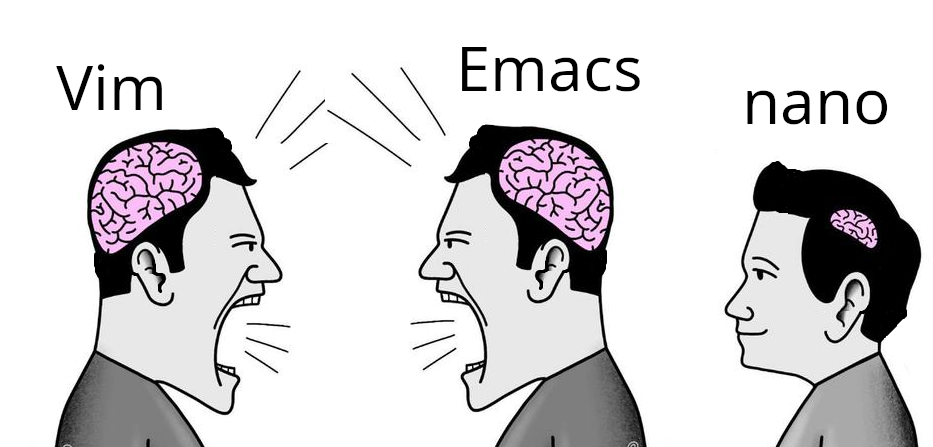
I’m glad we all agree that nano is the one true text editor.
/s
IMO it needs better LSP support and things like refactoring, smart auto completion, and go to definition for a range of languages to be considered an ide.
But you can edit text with it.
I use nano because I can’t be assed to memorize key bindings, but I’ll give this a go
Hahaha
Memorize
Okay guess what the keybind for Copy is in micro
Go on, guess
YEAH THAT’S RIGHT IT’S CONTROL+C
Now guess what Paste is
YOU GOT IT
Quit? Find? Undo? Save? Open?
If you guessed anything weird, that’s on you.
My only complaint is that Ctrl+N is “find next” instead of Ctrl+G, but you can remap keybinds at will, so it’s not that big of a deal.
If only I could get copy paste working when using micro over ssh. inside a document it works fine but I can’t get it to put stuff on my system clipboard
to use the system clipboard I select with the mouse while holding shift, then do ctrl-shift-c iirc. That’ll use the terminal emulator highlight and the system clipboard. At least on my machine, using kitty. Idk all the pieces that need to be in place for this to work.
Yep, and then Ctrl+Shift+V for paste.
But if you’re pasting from Micro to Micro, and it’s from the same session (horizontal/vertical splits, other tabs, elsewhere in the same document), you don’t need to go to the system clipboard and can drop the Shift.
And in Emacs ctrl+k means kill the line or selection (adds it to the kill ring) and ctrl+y yanks a value from the kill ring. Meta+y cycles to the next item in the ring. Meta is usually escape, unless you’re using the computer of someone with a key called meta
This comes from being earlier than MS-DOS, so it couldn’t copy someone else’s work (why did it take so long for DOS and windows to come up with the innovation of a copy history. It came after the windows key
How many Linux distros include micro in their minimal image? Vim, emacs, and nano are good because I can connect to just about any container or Linux VM and expect to have all of them available.
Let’s say I have a test that always passes on my machine but fails in CI. If I can get a terminal on the test runner, I can open up my test code in vim, add extra logging and error handling, and rerun the test to check my fix.
I am not going to install additional editors in a VM that will be recreated next time I push a code change. If I am setting up a development environment for long term use, I will install my favorite IDE and configuring all the bells and whistles.
the same old argument that anal sex is good because it works on more people
you might appreciate it, but being preinstalled is not the selling point you think it is. I spend hundreds of times longer in the editor than installing it. I want something good while I’m using it. I don’t care if it takes me 30 seconds to install, and maybe no one should.
Wow I love this argument, you’re bang on 😆
Most include micro iirc