- cross-posted to:
- programmer_humor@programming.dev
- cross-posted to:
- programmer_humor@programming.dev
You must log in or register to comment.
Ray Bradbury warned us of this
spamming ctrl
Meanwhile, I’ve owned 4 monitors since 1995 and I happily remain on a single 1080p monitor.
The dream
I used to think that 15 years ago. Now that’s my nightmare.

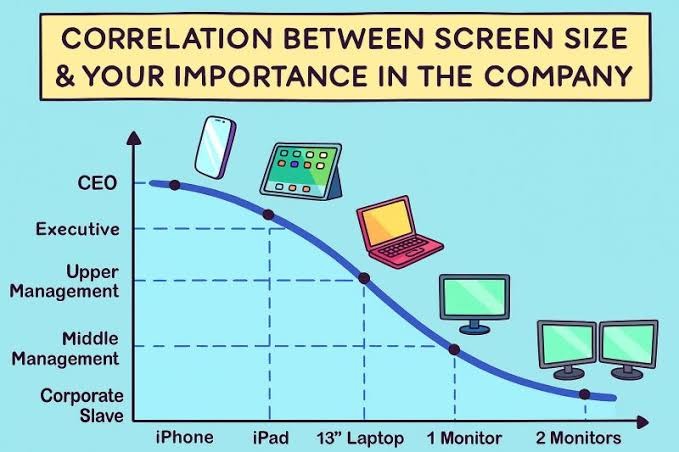 I guess we need to extend this chart somewhat…
Needs a log scale x-axis
Yeah and the wild thing is that the importance axis is cut-off, by the time it reaches 10+ screens that’s the single most important employee who if they were runover by a bus tomorrow, the company will just randomly implode one day when something only they know how to maintain just falls over and no contractor can untangle the spaghetti infrastructure.
The thing is, they haven’t had a pay rise since screen 6 but somehow are just unphased even by inflation.
The most important is at the bottom of that curve, right?

Well, yes, but also the lowest-paid.
Yeah it starts ticking back up after 2 monitors
It really doesn’t, and I say that as someone who often had 3 or 4 monitors on his desk 😂
in the mean time some of the executives replaced themselves with an assistant using AI responses and they haven’t done any work in over a year and somehow we are saying they were important.
The GPU having to render 60K pixels at 144fps: “I’m tired boss”
Almost certainly multiple in that sort of setup
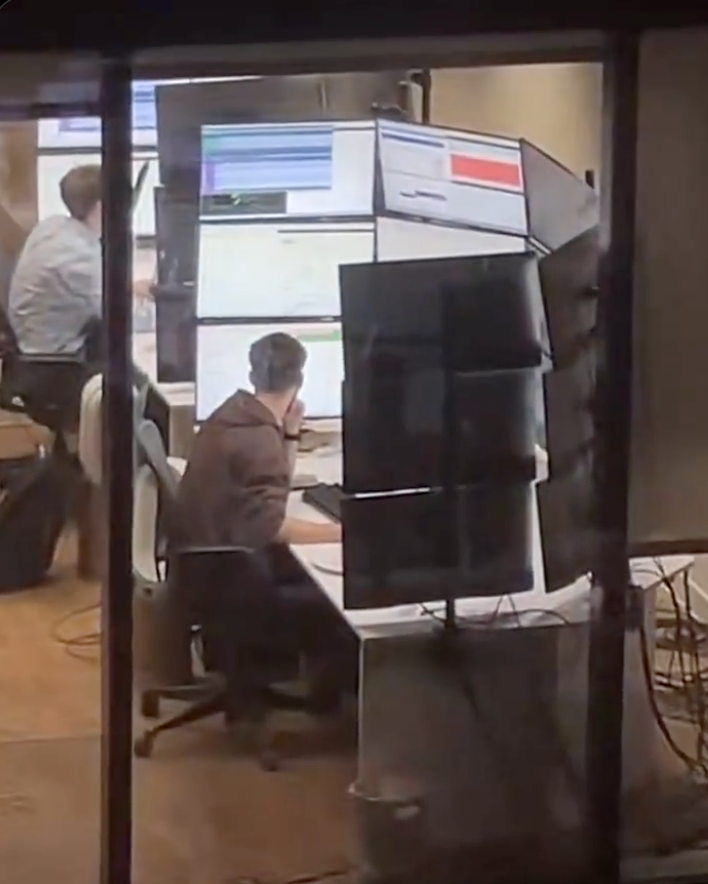
Wtf is this ? What the hell are they doing that requires 15 screens ?
Reminds me of the workstation from
“Halle Berry’s Breasts: The Movie”Swordfish.
“Halle Berry’s Breasts: The Movie” We need more of these
🤢
I have a friend who works for Transpower (company in charge of NZ electric grid) and occasionally goes into their control rooms. Apparently they have set ups like this. It gets worse, because there are several computers hooked up to the different monitors, so not only do they have a wall of monitors, they have a bunch of different keyboards and mice (mouses?) that they have to hunt through if they want to actually interact with something
There is crossplatform software for mouse/keyboard sharing.
They need to invest in some KVM switches. Just leave the monitors connected directly to the towers but route the input devices through the switch. There’s no good reason for a single person to face more than one keyboard and mouse at the same desk.
Reminds me of VirtualBox on Wayland. It won’t correctly capture the mouse, so it just exits and re-enters the window in random positions. Say, on guest you see it in middle left, you move it a bit to the right, and it jumps out of bottom right corner.
So, time to have a second mouse, and do USB passthrough.
But also UEFI on my HP mini PC doesn’t work with every keyboard, so a second keyboard for UEFI.
Kiwi gang!
There’s
dozensat least three of us!I want to join, but they don’t let me
What aren’t they doing?
IDK but I’ve seen pics of 911 operator setups with some absurd number of screens and I bet there’s a lot of stuff that would be useful for them to have open.
Makes sense yeah. I guess at this point it’s a monitoring station more than a computer, i.e the operator is not gonna have many interactions with it other than looking at the screens
My parents were 911 dispatchers for decades. It’s how they met. They had 7 monitors last time I visited them at work 20 years ago. Their applications seemed to be built on the idea they had multiple monitors worth of space that they’d be stretched across.
If I remember accurately, there were 2 computers (and thus 2 mice and 2 keyboards). The first computer had 5 monitors and was the Google Maps equivalent for where all the active ambulances in the city were. The main application stretched across multiple monitors and had sub-windows with different operations in them. I think it also managed the radio between dispatcher and ambulance. The second computer was dedicated to the phone, the caller, any history attached to the phone number, and all the data 911 gets about your location. It took up the remaining few monitors. By now it’s probably 1 computer and even more monitors.
Separate computers may be due to necessity. For example, one of the systems they need may have a provided computer to handle it that is managed and supported by that vendor on a separated network for security.
It’s 4. My daughter is an operator.
Gooning
I’ve seen stock traders where everyone on the floor had half that many. A few of them had 9.
When they’re looking up trades or news, they open a ridiculous number of windows while doing research.
They have 4 screens just to watch the markets and handle in-house controls.
What’s striking about this is the amount of whitespace on the screens. They are only using 1/2 - 1/4 of their screen space.
It’s the boss screen, in a second they will Alt-Tab into Flight simulator.
Traders love doing this
Not sure about this one, but I know quant traders sometimes like many screens with many dashboards for realtime trading.
Russian space program
Shake till it gets big
😐 What gets big exactly?
Pp
It’s a feature in KDE that if you shake or move the mouse fast the cursor gets bigger so you can find it.
Debian 13 + KDE Plasma - Why does the mouse get so huge? HAAAAHAHAHAHA
Same in macOS
HOLY SHIT THAT’S WHY IT DOES THAT?!?!?! I learn something new about Linux on this platform every day.
My favorite part is that it keeps getting bigger as you continue shaking it, eventually resulting in a big-ass cursor that can’t be contained in one display lol
…What? I was bored…
macOS also has this feature under the name “Shake mouse pointer to locate”.
Yeah I think it been a Mac feature since like 2018, but more newly adopted in KDE. But either way it’s just a help UX idea, and potential aligns with someone’s behavior of just like moving the mouse fast to verify it’s still working
Apple added it in 2015.
It was on Linux longer. The focus follows the mouse was another that I would like to see native
It was on Linux longer.
I’m fairly sure that didn’t become a thing in KDE until 2024 or 25
Windows, since 7 (2009ish), had a feature to hit CTRL which zeros in on the mouse to find it if you can’t find it. On my 3x 19" LCDs I had, it was handy to have that 3" circle close in on it.
Enable it under mouse settings, not automatic.
It’s so well implemented, I sent it to a bunch of my friends saying something like “good accessibility and good design often are the same thing”
Accessibility causes developers to implement users a choice on design.
The original intent of css was we’d influence pages with out own design but that never happened.
Night mode is accessibility lifted to a feature.
Still doesn’t help in finding where your cursor is currently.
Even worse when running multiple VMs.
Half a dozen blinking cursors, but only one of them is actually active…
There is a function on linux that makes the cursor expand in size when you wiggle furiously for a few seconds
“Wiggle furiosly” sounds like a great way to spend saturday night.
I’ve put a hole in 3 monitors that way. At once.
Is there a way to define a home location for the cursor and have a key combination to send it there?
xdotool mousemove 0 0Replace the
0 0with your desired coordinates if you don’t want the ‘home location’ to be at the top left.Then use xbindkeys to bind your desired key combination to run that command.
For windows, powertools has settings to help find the cursor by shaking it or to highlight it, etc. I find it helpful with just 2 monitors sometimes
KDE Plasma has that too. It’s funny, the cursor just keeps growing while you’re shaking it. Slowly, you can eventually cover the whole screen.
xeyes is a classic X Window program that helps finding the cursor (looks like a pair of eyes looking at the direction of the cursor)
We don’t talk about Xorg in 2026.
Pfah, I dare even dislike the syntax of Rust.
Xorg 4 lyfe!
lol I remember installing and running this, and just thought, wow, this wasn’t worth it. Now, 30 years later the use was made clear by you and I should’ve thought about it when I first went multimonitor. Thank you!!
The misalignments on those monitors hurts me in a way that is almost physical…
Imagine how it looks from the person sitting in front of them. It’s perfect.
Or it was until it got bumped. And then trying to adjust it back bumps another one. And so on. Then you think you have it right, sit down, and realize shit’s not level anymore.
And then a year later one of the panels dies, and you get handed a replacement with the same screen size but a different bezel size.
The path to zero fucks given is slow but steady.
Neck? No more.
Ah yes, Matrox’s last bastion of business: ridiculous monitor counts across 2 or 3 Matrox C680 cards.
It’s even more ridiculous when you use 15 x 85" OLED TVs for some company doing a C&C room.
Lol, yes!!
And it’s been for decades.
I remember reading gaming (PCI/AGP) reviews of their cards (with their GPUs) decades ago & just marvelling at pro (non-gaming ofc) setups.They are using Intel these days and still only have 8 ports :)


This looks oddly similar to factorio
This looks like Factorio. Someone needs to make a mod to import these graphics and do the reverse.
Meanwhile, I’m fascinated by the type of dweebus that would waste construction time and budget, not to mention taking up precious squares in their base, sandbagging the edges of a cliff.
(I’m assuming this is a prefab computer opponent base in some damn fool mission or another, but I’ll be damned if I can remember which one after 30 years.)
👋 It’s me, I’m the dweebus. I decided I liked base-building, so I decided to max out my economy and vibe after I reduced my opponent to their last building. And then I decided I wanted to make my base pretty, so I decided to decorate with fences, sandbags, and aesthetically placed defenses.
I didn’t play C&C. I played Stardew with tanks.
I played Stardew with tanks.
Mines ores to build tanks
Builds tanks
Put tanks into the shipping bin for Lewis to pick up