Tiny11 in KVM is your friend.
9GB install, barebones. Install with qcow2, add VirtIO guest tools, map a local folder, then snapshot so you always have a clean image.
Since it’s stripped down (not even a web browser), updates are super minimal.
I don’t dual boot but recently started using WinBoat in hopes of running Halo Wars 2 once again, Windows in a container is basically the same as Windows in a VM and if you do so choose can be volatile, therefore the data kept in the container can be erased after each time it is killed.
However, Windows setup is a huge PIA so if you have the patience for it.
Hold up, there’s a second privileges issue with Linux! Let me go into windows…
Hewwwrewsxrgvuvjbjnnnklkvfgh update pleasexvuufvhlbhvjvrscvyfvbjsucssykmbcfthhvessynhutfuikkm.
10hrs later… Oh Windows is so secure!
I don’t even know why I still keep it around. I haven’t touched it in like a year now since I made the switch to Linux.
I found that my VR set up is serviceable under Linux as well. That was the last thing I used my windows drive for. But now I have an extra gig to play with on Linux and I’m completely windows free!
With some help from https://wiki.vronlinux.org/ and updates to wivrn it’s a smooth experience with my quest 3. But I would really like to move to a dedicated pcvr set up.
Mine is in a drawer. I keep it around just because i dont have more nvme slots anyway
I finally switched completely this year. Windows just sucks anymore.
Nice. Don’t you find it’s made computing fun again? Tinkering to get my computer do whatever I need it to is almost therapeutic. Especially when the occasional hiccups I experience is not due to the incompetence/negligence/evil policies of a mega-corporation, but because it’s supported by a hadge podge of very generous, smart people and we as users need to find ways of working around some of the limitations.
I also switched to GrapheneOS last week and I’ve been glued to my phone ever since. Not doomscrolling but tinkering with settings and apps to get it working just the way I want it to.
And “Install updates and shut down” somehow involves restarting the computer three times, which is real fun when by default it boots Linux, so you have to babysit the computer just because Microsoft still haven’t figured out how to update their damn OS properly.
There has to be a better solution for that. I’m wondering if it’s worth switching the boot order in bios prior to updating but I guess you never really know how many times it’s going to restart either…
Then you’d have to start the computer again afterwards to switch it back. It’s a hassle either way.
I used to have GRUB pause at the selection screen. But it was annoying to need three interactions with pauses in-between (power on, OS select, login) before I could use the computer for the 95% of times I want Linux. Especially since memory training on DDR5 can take upwards of a minute.
Lumine(boot manager) on my PC remembers the last boot choice, so when I choose windows it keep going to that until I choose Linux again. Have about 5 seconds to press a button before it auto starts. Seems like the most sane alternative here.
The worst part is on Linux efibootmgr can set the boot entry for next boot, like it’s already in the spec to say “boot windows for 1 boot then back to my default”
They just refuse to play nice with anything else.
The worst way to use Windows is to boot it every once in awhile. It’s slow for awhile until all the updates are done installing and downloading. But then people shut it off right away, and next time they open it there’s more updates. When I was working at a PC repair shop, we’d get low end laptops that were running really slow. The solution was often to leave it on the bench for a day and let it work through updates.
The best way to use Windows, is of course installing Linux over it.
I haven’t felt that in years, especially with multicore+decent amounts of ram. Windows can update in the background and its not even noticeable anymore (IMO).
It is on low end hardware. My dual core thinkpad sits at 100% CPU utilization when it does windows updates. IMO this alone makes Windows unusable on that machine. Now it runs Debian flawlessly and I mostly just boot it up to print something on my old HP printer that’s been running on the same refilled cartridge for years now. I possess the only good HP printer left in the world I feel like.
Is your dual core still supported by windows? That must be ancient, in which case Linux would be your only option?
And that is what i hate the most. It wont even tell you its updating and in the end you see no shutdown button but only update and shutdown.
Oh have limited network speed or data? Dontcare+wontask+fuckyou
I wanted to use the current Windows logo, but it’s so incredibly stupid, you wouldn’t even recognize it.
This is what happens when a $100 bn profit/year company is too cheap to hire artists:

Ironically it’s because they paid very expensive artists.
The windows 8 logo was done by Paula Scher of Pentagram, one of the most exclusive and expensive graphic design firms.
Meeting with Microsoft early in the development process, Pentagram asked: “Your name is Windows. Why are you a flag?”
That was a pretty interesting read. I definitely do think there’s more artistic merit to the windows 8 logo than 11.
It’s just the blue screen of death now. Apt.
I think it’s a projection joke. Win12 isn’t even released yet.
12? Even 11 isn’t out yet. Or at least I haven’t heard.
TIL windows 1 logo was the best logo
I like 7 best
There’s also this gem that was used infrequently around 3.0 era. I call it Windows Noir.
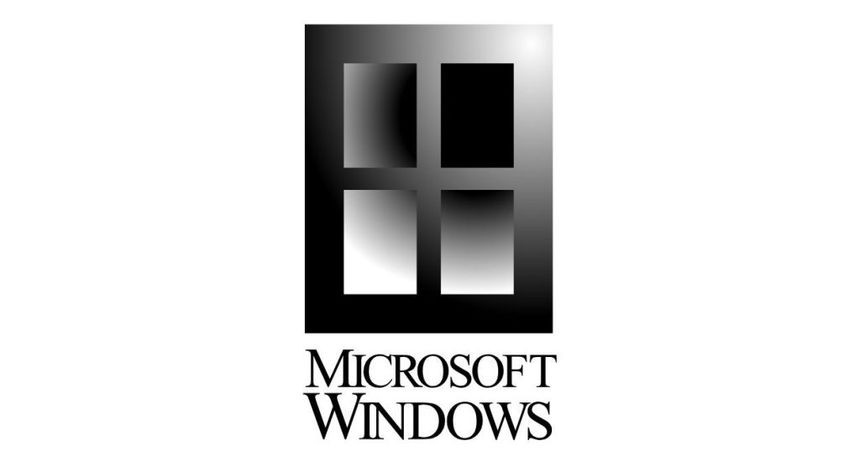
Srsly wtf I saw that and immediately thought “Well that would be a great modern logo” its flat and sleek but still recognizable enough. Guess the marketing department didn’t want to admit “we got it right the first time”
Even seems to suggest use of a tiling window manager that MS still hasn’t properly implemented.
Yeah somehow that got worse over time. I remember one version actually let you select multiple windows in the taskbar and choose to horizontally or vertically tile, and if you knew the magic sequence, you could do it for just two not all.
It does kinda look like a cafeteria tray, though.
Lunch? Even better!
Yeah that logo is better than the modern logos by far
Window
s12You think they didn’t pay marketing consultants millions for that logo?
I had Windows installed for nearly a year after swapping to Linux.
Until one day I needed more storage space and realized that I hadn’t booted into Windows in over 6 months so I shredded the drive, formatted it with ext4 and let Steam have it.
Damn my 70gigs on my SSD is left alone
That’s not so bad, I had a whole 2TB m.2 drive dedicated to Windows so the cost:benefit ratio was firmly on the side of yeeting Windows.
In my case it’s 512GB ssd from which i gave 70 gb for windows… Now that my home partition is almost full(6gb free), i am looking at you, winslop
(Btw windows alone takes around 60gigs iirc, so i already pushed it’s limit)
once a month
patch tuesday
chat, should I tell them?
Assuming no out of band patching.
Also the fact that this joke/meme only works now if you opt-in to the extended security updates (since that UI from panel 3 is from w10). So op wants the updates but then is like ‘oh no, updates’. Which one is it, op? Which one is it?
Hmmmm…
If I have to install Windows on a machine (mostly work-related), I always use Chris Titus’ WinUtil to strip out the garbage bits and delay or completely stop updates. It’s basically a GUI wrapper around various Powershell commands.
I have another way…
I have to use windows for work sometimes, so I got a copy from massgrave and created an xml ISO using this helpful page.
https://schneegans.de/windows/unattend-generator/
Boom!
Holy FUCK, I’m going to use that so much.
👆
I haven’t booted bare-metal Windows in years. Since then, I’ve only ever used it in a VM with no network connectivity, so no updates.
The only bare Win10 I got left has no auto network connection. It’s still surprises me that it doesn’t turn itself on in the middle of the night for updates so I see whatever I left running a month ago the last time it fell asleep. Yesterday I was trying to install device drivers on a Win11 vm and it rebooted mid install when I stopped looking for two minutes. Granted nothing broke but why do I get prompted about file explorer being opened for a user started reboot but an installer is considered killable? Such consistent design I can tell.
I haven’t booted windows in about 2 months and at this point I am too afraid to.
Last time I booted in to Win10 after 2-3 months my GPU driver just stopped working on Linux, which has never happened before, at least not like that.
Ah fuck, I’m not dealing with that right now. Windows can wait another few months.
I have never dual booted successfully. I mean, I have set up dual boots. But I am fundamentally incapable of actually switching back and forth. I inevitably just pick one OS and only boot into that one.
I only have Windows for gaming, and even then only use it for old games, multiplayer, repacks, or any other types of games that don’t feel like working properly on Linux.
It was only last year that I more-or-less just said “fuck it, if I can’t get a game to work in Linux, then I’m not playing that game.” So far, the only game that I wanted to play but couldn’t was a demo, and when the final game came out, it was playable. But I rarely go for any performance heavy FPS games.
Joke’s on you, Windows! I forgot my Windows password and haven’t booted into you for months.
Windows XP design was so good they went back to it for win7
More like they wanted to distance themselves from Vista