Over 70 people here are idiots. It’s really not that big a fucking deal. Meeting invites sitting in inbox are just noise, and can get outdated. Worst case scenario it’s in the trash bin. If the trash bin is good enough for pulling frozen food boxes for instructions it’s good enough for this.
Imagine someone sends you an invite to a meeting a couple of weeks or months out. You accept. The next day you need to check something that was in that meeting invite. Fuck, was that meeting set in march or april? And what was it called? There are like three plausible names for it… Woldn’t it be nice to just scroll down to yesterdays emails and have it there?
Either treat invites as a message, or do some completely separate calendar-notification system. But the inbetween is kinda the worst of both worlds.
Especially when protocol is to add every meeting you receive to the calendar. It’s easy to miss stuff when you’ve got 8 triple booked meetings in a day and you only actually NEED to attend 1 in every 5 or so meetings.
Basically nobody has good hygiene when it comes to meetings, emails, or messages anymore “fuck it, I will send it to the whole team” - dumb assholes trying to look busy.
You have a good point that there needs to be a way to set priorities. For people with many meetings, responding as accept, reject, or tentative is not enough choices
Copilot agent. I made one to accept and decline meetings based on learned context. Gave it some basic rules and tuned it a little over time. No more fucking around cleaning up my calendar. If something is questionable, it messages me to decide.
That is now the past and I do not miss it one bit.
no, they could have been received different days, that is why losing them from inbox is a pain. It doesn’t happen when you are a junior/intern/small company, but in big companies you end up receiving a ton of invites, being able to easily access the one you accepted today, two hours ago or two days ago by reception date rather than meeting date is a huge help. You basically have an additional sorting of those invite emails.
to the point where I just don’t accept any to keep them in the inbox.
The fact that your particular use case doesn’t need this, doesn’t mean everyone else is doing it wrong. jeezz, the audacity of people… you must work for Microslop, they think exactly like you: “if I don’t need it, surely no one does, or they are doing something wrong”
Have you actually used the search in Outlook? The search seems non-deterministic and will happily deliver some results, but not necessarily all. And if you fire the same search again, it might even list a different number of results from before. It’s quite usable if there’s only a few results and all of them are quite recent/in the next days. But get a larger number of results and it will fall apart quickly
I tried to search for something in Outlook last week. A particular message from a retailer I’d bought something from.
A message from them was at the top of the inbox, having just been received, but I needed an earlier, the date of which was unknown. So I searched for the name of the retailer.
Despite there being an email RIGHT THERE, Outlook decided that no, I did not, in fact, have any messages at all from any sender of that name. Not in any of my inboxes. Nope.
As insane as my work calendar is, yes. I’ve accepted meetings and days later needed to go back to find the entry. Unless you memorize when they meeting was you’re going to have to find that manually. It’s a very avoidable inconvenience.
It is not unusual at all for me to get invites for meetings that will occur several quarters out. Also, quite a few of my invites contain agendas, “action items” and other bullshit that calls for thorough preparations that are impossible to finish 15 minutes in advance when the reminder comes on.
Don’t you check upcoming meetings? Such as at the beginning of the day?
Once accepted, why would you care when any specific meeting is, just which ones are coming soon?
Granted I track things requiring significant effort through other mechanisms, so my meeting prep is more typically checking statuses and collecting data/summaries
Most people still don’t even understand the difference between SharePoint and onedrive. You know, concepts that have existed for more than a decade? Outlook has been around longer and look how many people are clueless about how it works and incurious to ever find out.
These are the people that still put all their shit in spreadsheets that they email as attachments. You know, morons.
I hate Microsoft and everything they stand for. I only use Linux on my private devices. But this particular issue is just a dumb thing to complain about.
Not everyone’s work lives are completely owned and controlled by their outlook calendar. Therefore, not everyone regularly checks their calendar, let alone remembers stupid quirks.
Bingo. I work in hospice and spend most of my day driving around to people’s houses, but we do occasionally have meetings. Every Tuesday morning, every other Wednesday, and a monthly meeting where 2 dates and times are offered to allow for scheduling around them for patient care. Some are on Teams, some are in person. The meeting invites for this year we’re sent out in December last year. Good luck remembering. At least they’ll sent out reminders a day or two before the meetings so we can panic fix our schedules.

You could, you know, check your calendar? Set reminders? Do anything at all that implies a minimum of competence?
Over 70 people here are idiots. It’s really not that big a fucking deal. Meeting invites sitting in inbox are just noise, and can get outdated. Worst case scenario it’s in the trash bin. If the trash bin is good enough for pulling frozen food boxes for instructions it’s good enough for this.
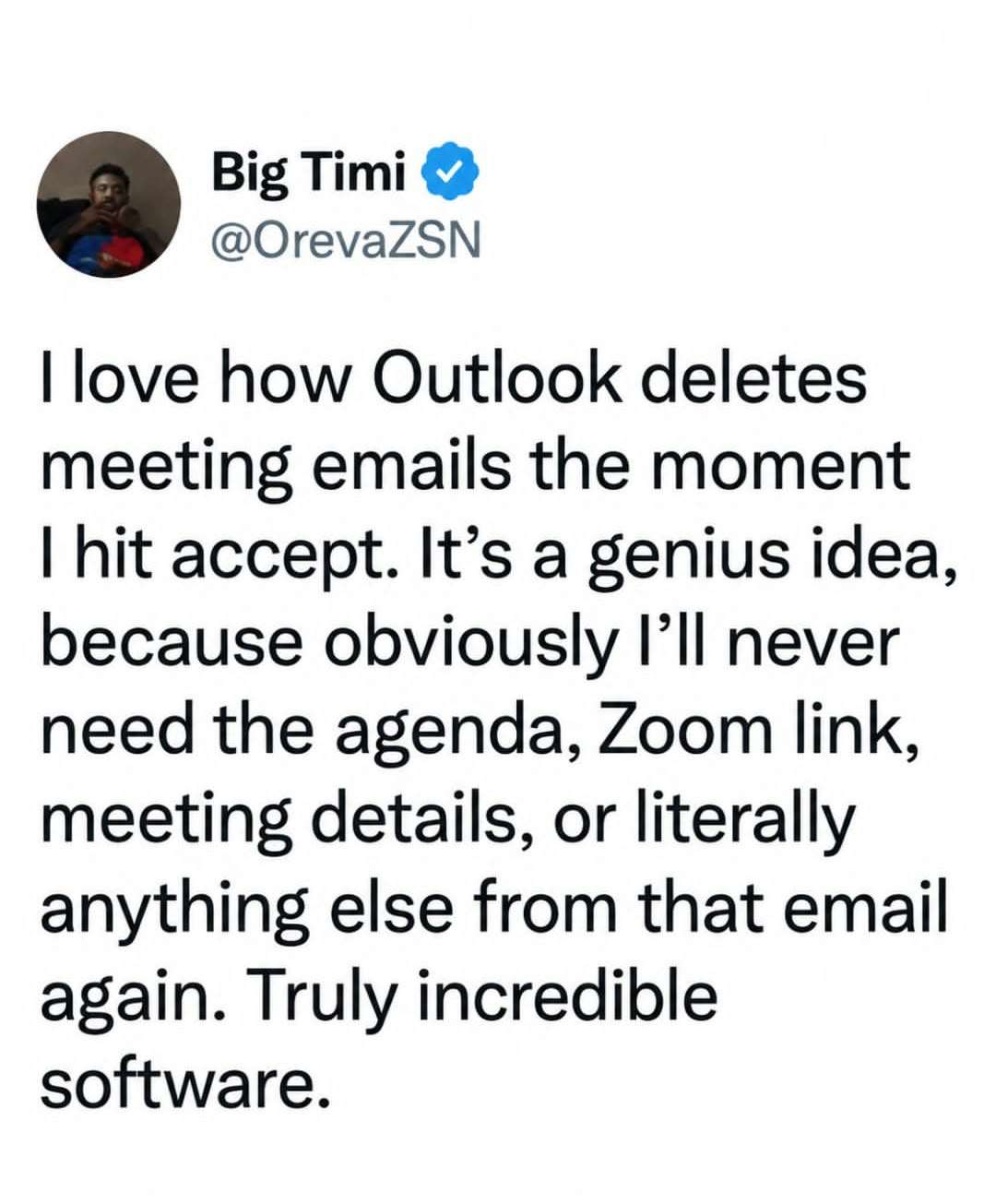
Or, you know, the email could just not delete.
No, let’s continue to be a Microslop apologist. /s
That’s a setting.
Not anymore. It’s been deprecated, as insane as that sounds.
Eww… Fuckin Microsoft strikes again
Do you really have troubles with finding stuff in your calendar?
Imagine someone sends you an invite to a meeting a couple of weeks or months out. You accept. The next day you need to check something that was in that meeting invite. Fuck, was that meeting set in march or april? And what was it called? There are like three plausible names for it… Woldn’t it be nice to just scroll down to yesterdays emails and have it there?
Either treat invites as a message, or do some completely separate calendar-notification system. But the inbetween is kinda the worst of both worlds.
I just look in Deleted Items
I have hundreds if not thousands deleted emails per week. Searching the deleted folder is a pain.
Im glad this topic got brought up because I thought I was the only one having this issue.
Thank goodness I only have to attend about 10 meetings a month.
I’m starting to think Microslop isn’t the problem here.
The root cause? No. Unnecessarily making problems worse by deciding that everyone wants their meeting emails deleted when they accept? Yes.
I just don’t accept meetings to solve this
In a corporate role you can have hundreds of meetings a month. Yeah, they can get lost.
Especially when protocol is to add every meeting you receive to the calendar. It’s easy to miss stuff when you’ve got 8 triple booked meetings in a day and you only actually NEED to attend 1 in every 5 or so meetings.
Basically nobody has good hygiene when it comes to meetings, emails, or messages anymore “fuck it, I will send it to the whole team” - dumb assholes trying to look busy.
You have a good point that there needs to be a way to set priorities. For people with many meetings, responding as accept, reject, or tentative is not enough choices
Copilot agent. I made one to accept and decline meetings based on learned context. Gave it some basic rules and tuned it a little over time. No more fucking around cleaning up my calendar. If something is questionable, it messages me to decide. That is now the past and I do not miss it one bit.
One of the worst things about corporate roles is spending so long in meetings you cant actually action anything that comes up in the meetings.
Check out this guy that has two meetings a week. And none of them have similar titles, attendees or anything.
Then they would be similar in mail form, wouldn’t they?
no, they could have been received different days, that is why losing them from inbox is a pain. It doesn’t happen when you are a junior/intern/small company, but in big companies you end up receiving a ton of invites, being able to easily access the one you accepted today, two hours ago or two days ago by reception date rather than meeting date is a huge help. You basically have an additional sorting of those invite emails.
to the point where I just don’t accept any to keep them in the inbox.
The fact that your particular use case doesn’t need this, doesn’t mean everyone else is doing it wrong. jeezz, the audacity of people… you must work for Microslop, they think exactly like you: “if I don’t need it, surely no one does, or they are doing something wrong”
I’m simply asking questions. Is that considered audacity?
Have you actually used the search in Outlook? The search seems non-deterministic and will happily deliver some results, but not necessarily all. And if you fire the same search again, it might even list a different number of results from before. It’s quite usable if there’s only a few results and all of them are quite recent/in the next days. But get a larger number of results and it will fall apart quickly
I tried to search for something in Outlook last week. A particular message from a retailer I’d bought something from.
A message from them was at the top of the inbox, having just been received, but I needed an earlier, the date of which was unknown. So I searched for the name of the retailer.
Despite there being an email RIGHT THERE, Outlook decided that no, I did not, in fact, have any messages at all from any sender of that name. Not in any of my inboxes. Nope.
Stupid shit. I hate it.
Stupid work PC.
As insane as my work calendar is, yes. I’ve accepted meetings and days later needed to go back to find the entry. Unless you memorize when they meeting was you’re going to have to find that manually. It’s a very avoidable inconvenience.
yes. I have meetings for around a dozen projects at any week in time, and some people really suck at titling meetings.
“issues touchpoint” OKAY BUT FOR WHICH ISSUES ON WHICH PROJECT, JESSICA
the one about titling meetings in emails properly.
It is not unusual at all for me to get invites for meetings that will occur several quarters out. Also, quite a few of my invites contain agendas, “action items” and other bullshit that calls for thorough preparations that are impossible to finish 15 minutes in advance when the reminder comes on.
Don’t you check upcoming meetings? Such as at the beginning of the day?
Once accepted, why would you care when any specific meeting is, just which ones are coming soon?
Granted I track things requiring significant effort through other mechanisms, so my meeting prep is more typically checking statuses and collecting data/summaries
You are sadly wasting perfectly good words.
Most people still don’t even understand the difference between SharePoint and onedrive. You know, concepts that have existed for more than a decade? Outlook has been around longer and look how many people are clueless about how it works and incurious to ever find out.
These are the people that still put all their shit in spreadsheets that they email as attachments. You know, morons.
Or just look at the original email if it didn’t get deleted?
Yes why not just do more work to compensate for MS mediocrity?! what a great idea!!!
I hate Microsoft and everything they stand for. I only use Linux on my private devices. But this particular issue is just a dumb thing to complain about.
The fact that you reference Linux in a discussion about Outlook makes me think you don’t know what you are talking about.
Have a good life
I’ve been using both Unix/Linux and Windows with Outlook for longer than most people here have been around. So yeah, Totes McGoats, my friend.
Not everyone’s work lives are completely owned and controlled by their outlook calendar. Therefore, not everyone regularly checks their calendar, let alone remembers stupid quirks.
Bingo. I work in hospice and spend most of my day driving around to people’s houses, but we do occasionally have meetings. Every Tuesday morning, every other Wednesday, and a monthly meeting where 2 dates and times are offered to allow for scheduling around them for patient care. Some are on Teams, some are in person. The meeting invites for this year we’re sent out in December last year. Good luck remembering. At least they’ll sent out reminders a day or two before the meetings so we can panic fix our schedules.